

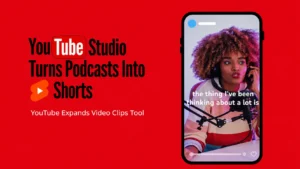
Podcast creators can now turn long-form episodes into YouTube Shorts without relying entirely on separate video editing tools. YouTube is expanding its existing Video Clips tool in YouTube Studio to make that process easier.
Announced on November 12, 2026, the update introduces AI-powered clip suggestions, transcript-based editing, automatic vertical formatting, and captions. Creators can identify interesting moments in longer recordings, turn them into standalone Shorts, and connect viewers back to the original episodes.
What Is New in YouTube Studio’s Clips Tool?
Previously, creators could use video editing tools to extract interesting moments from longer recordings. With this expansion, YouTube brings the process directly into Studio, where creators can create either standard video clips or Shorts from existing uploads.
The update introduces several features:
- AI-Powered Clip Suggestions: YouTube suggests interesting moments from longer videos that can work as standalone clips, helping creators find highlights without manually scrubbing through hours of footage.
- AI-Generated Video Outlines: An automatically generated outline of the video’s transcript helps creators navigate long episodes, identify speaker turns, and find specific moments.
- Transcript-Based Editing: Creators can select video segments directly from the transcript or timeline and adjust the portions they want to use.
- Automatic Vertical Formatting: YouTube automatically converts existing 16:9 podcast footage into a vertical format for Shorts, keeping important parts of the original video in frame.
- Automatic Captions: The tool adds captions to generated Shorts, with options to customize their fonts, styling, and positioning.
- Links to Original Videos: Shorts created through the tool automatically link to their source videos as related content, making it easier for viewers to discover full podcast episodes.
How Can Creators Turn Podcasts Into Shorts?
Creators can access the expanded feature directly through YouTube Studio.
To get started:
- Open YouTube Studio and navigate to Content > Videos.
- Select an existing long-form video or podcast episode.
- Open Clips and Shorts from the left-hand menu.
- Choose the option to create a clip or Short.
- Select a segment using AI suggestions, the transcript, or the timeline editor.
- Preview the Short, customize captions, and select Create Draft.
- Complete the upload process to publish it.
YouTube also recommends keeping these clips and Shorts separate from podcast playlists, which should remain focused on full-length episodes.
Who Can Access the New AI Features?
Not every creator will have access to all the new capabilities immediately.
The AI-powered suggestions and transcript outlines are currently available in 10 countries, including the US, UK, Canada, and India. Supported languages include English, Spanish, French, German, Hindi, Korean, and Portuguese.
YouTube says it is working to expand access to more creators.
What Does This Mean for Podcast Creators?
The update makes content repurposing easier by reducing the manual work involved in finding highlights, editing footage, and preparing vertical videos.
It also gives podcast creators another way to reach new audiences through Shorts while directing interested viewers toward full-length episodes.
For creators, the takeaway is simple: long-form content can now become multiple short-form videos without leaving YouTube Studio.