


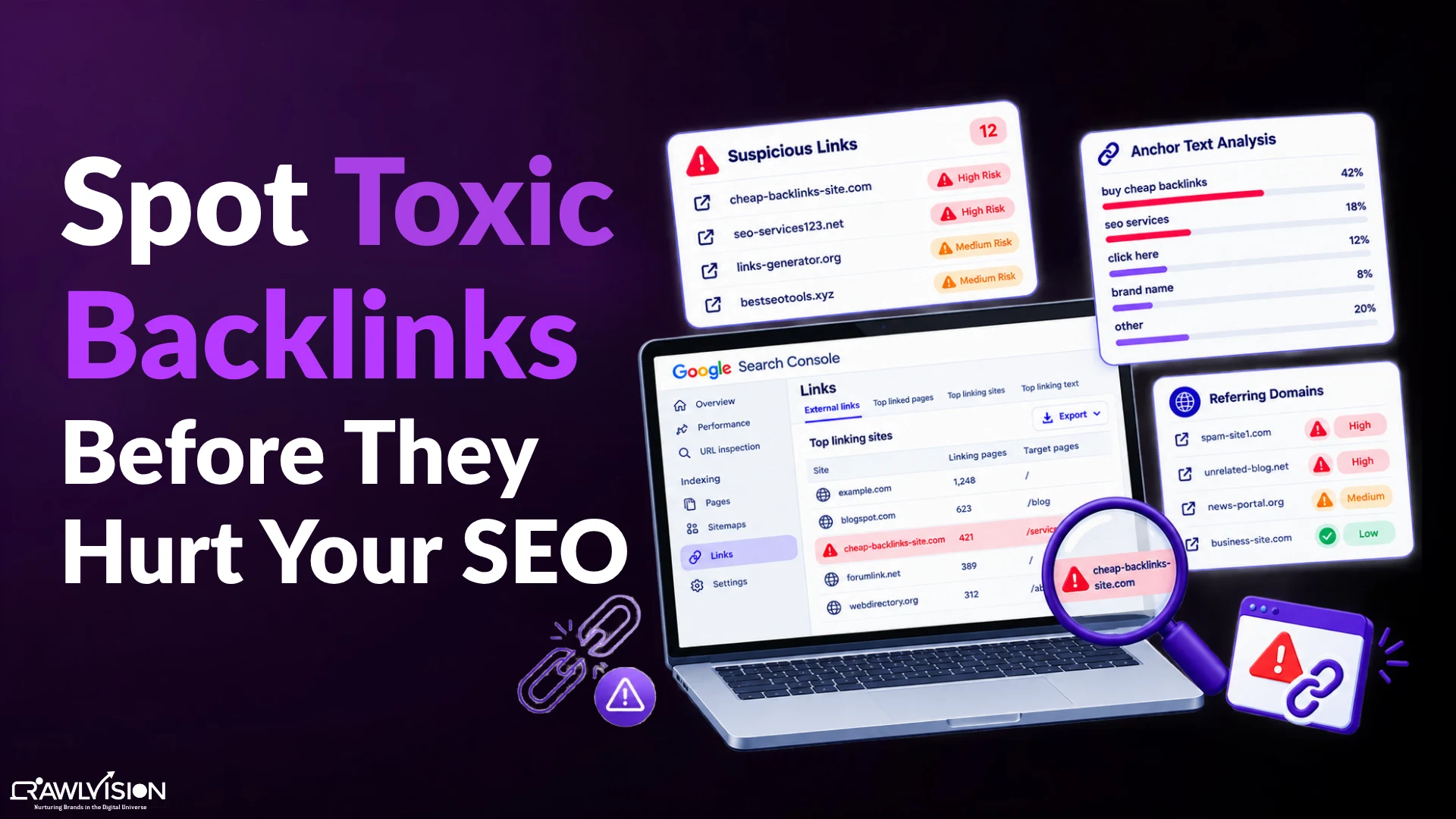
To find toxic backlinks, export your backlink data from Google Search Console, analyze it with an SEO tool, and manually inspect suspicious links. Compare backlink changes with search performance to identify issues worth investigating. Do not disavow links simply because a tool labels them toxic.
What Are Toxic Backlinks, and Can They Hurt Your Website?
Toxic backlinks are links associated with spammy or manipulative link-building practices intended to influence search rankings. Examples include paid link schemes, automated link creation, and keyword-rich links placed primarily to manipulate Google.
However, a low-quality backlink does not automatically harm your website. Google can ignore many unwanted links without requiring any action from the website owner.
The important question is whether your backlink profile contains evidence of manipulative link-building. These patterns can also raise broader concerns about why Google may not trust your website.
Third-party SEO tools can flag suspicious links, but their toxicity scores do not represent Google’s own assessment or prove that a link is causing ranking problems.
How to Find Toxic Backlinks in 5 Steps
Finding toxic backlinks requires more than checking a single score in an SEO tool. You need to review backlink data, identify suspicious patterns, inspect referring pages, and investigate any connection with changes in search performance.
Step 1: export your backlinks from Google search console
Google Search Console provides a useful starting point for finding backlinks to your website. Its Links report shows examples of external links Google has discovered, along with information about linking sites, linked pages, and anchor text.
How to Do It:
- Open Google Search Console and select your website property.
- Navigate to Links and review the External links reports, including Top linking sites, Top linked pages, and Top linking text.
- Use the available export option to download the report data. Flag unfamiliar domains and unusual anchor text for further investigation.
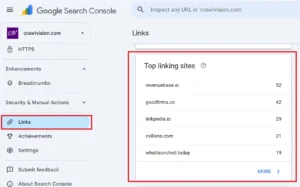
Note: Image showing Top Linking Sites for Crawl Vision inside GSC.
Pro Tip: Google Search Console does not show every backlink on the web. Its Links report provides a sample of known links, so combine it with another backlink analysis tool when you need broader coverage.
Step 2: analyze your backlink profile with an SEO tool
Backlink analysis tools help you examine referring domains, anchor text, link attributes, and changes in your backlink profile. They can also highlight potentially suspicious links that deserve closer inspection.
Best Tools:
- Ahrefs: Helps analyze backlinks, referring domains, anchor text, and new or lost links.
- Semrush: Offers backlink analysis and a Backlink Audit feature that flags potentially toxic links.
- Google Search Console: Provides a free starting point for reviewing links Google has discovered.
How to Do It:
- Enter your website into the selected SEO tool and open its backlink report.
- Review referring domains, anchor text, link attributes, and recently discovered or lost links.
- Export suspicious entries and prioritize links that show several warning signs for manual review.
Pro Tip: Different SEO tools use different data sources and scoring systems. Treat a toxicity score as a reason to investigate a link, not as proof that the link is harmful.
Step 3: check for suspicious backlink patterns
Suspicious backlink patterns can reveal potential link schemes. Look for multiple warning signs together instead of judging a backlink by one metric.
What to Check:
- Unnatural anchor text: Repeated commercial keywords, such as “buy cheap backlinks,” appearing in unrelated or manipulated placements.
- Questionable link sources: Websites filled with unrelated outbound links or pages created primarily to manipulate search rankings.
- Unusual link growth: A sudden increase in similar backlinks from suspicious sources, particularly when the pattern suggests automated or coordinated link creation.
Pro Tip: A sudden backlink spike does not automatically mean your website is experiencing negative SEO. Viral content, legitimate mentions, and successful campaigns can also attract many links. Investigate the referring sources before taking action.
Step 4: inspect the referring pages manually
Manual inspection helps you distinguish genuinely suspicious backlinks from links from unfamiliar or low-authority websites. Review the actual referring page before deciding whether a link needs attention.
How to Do It:
- Open the referring page and check whether it contains useful, coherent content or appears to exist mainly to host links.
- Examine the link’s placement, anchor text, surrounding content, and relevance to the destination page.
- Look for signs of manipulation, such as automated comments, repeated keyword-rich links, or paid placements designed to pass ranking credit.
Pro Tip: Don’t classify a backlink as toxic simply because the website has low authority, an unfamiliar domain extension, or a different subject focus. Legitimate websites can link to useful resources outside their primary niche.
Step 5: compare backlink changes with your search performance
Comparing backlink changes with search performance can help you investigate potential SEO problems. It can show whether suspicious link activity coincides with declining visibility, but it cannot prove that the backlinks caused the decline. A broader technical SEO audit can help you investigate other issues affecting crawling, indexing, and search visibility.
What to Compare:
- Backlink history: Check whether suspicious referring domains appeared around the time your website experienced ranking or traffic changes.
- Google Search Console performance: Compare clicks, impressions, and average position across comparable periods to identify affected pages and queries.
- Manual actions and other issues: Review the Manual Actions report and investigate other possible causes, including technical problems, content changes, and search algorithm updates.
Pro Tip: A ranking decline that follows a backlink spike is a reason to investigate, not proof of a penalty. Google may ignore many spam links, so examine other possible causes before backlinks.
What Should You Do After Finding Toxic Backlinks?
After finding suspicious backlinks, choose your next step based on the evidence. Not every low-quality link needs removal, and unnecessary disavowal can create additional SEO risks.
- Ignore links that do not require action. If a link looks poor but there is no evidence of manipulative link-building, monitor it instead of rushing to remove it.
- Request removal when appropriate. If you identify links created through a scheme you control or can address, contact the website owner and request removal.
- Consider Google’s disavow tool carefully. Google recommends considering disavowal when your site has a considerable number of spammy or artificial links and a manual action, or a strong likelihood of one.
- Document your decisions. Keep a record of suspicious links, investigation findings, removal requests, and disavow decisions. This makes future backlink reviews easier to manage.
At Crawl Vision, auditing 500+ websites has taught us that suspicious backlinks need context, not just scores. Reviewing link patterns and evidence of manipulation helps us distinguish genuine risks from links Google may simply ignore.
How to Prevent Backlink Problems in the Future
You can reduce backlink risks by focusing on legitimate link acquisition and periodically reviewing your backlink profile. The goal is to avoid manipulative practices, not to eliminate every imperfect link.
- Earn links naturally: Publish useful resources, original research, and expert insights that give relevant websites a reason to link to your content.
- Review new backlinks periodically: Monitor new and lost referring domains, especially after link-building campaigns or unexpected changes in backlink volume.
- Avoid manipulative link schemes: Do not rely on automated link creation, paid links intended to pass ranking credit, or excessive reciprocal linking.
- Investigate before taking action: Verify suspicious links manually and use the disavow tool only when Google’s guidance supports doing so.
Note: A healthy backlink profile does not require every linking domain to have a high authority score. Relevance, context, and evidence of manipulation matter more than achieving a perfect toxicity score.
Conclusion
Learning how to find toxic backlinks means identifying suspicious patterns, verifying evidence, and choosing the right response.
Start with Google Search Console, use backlink analysis tools to expand your investigation, and inspect questionable pages manually.
Avoid unnecessary disavowal and focus on earning legitimate links that support your website’s long-term search visibility.

