


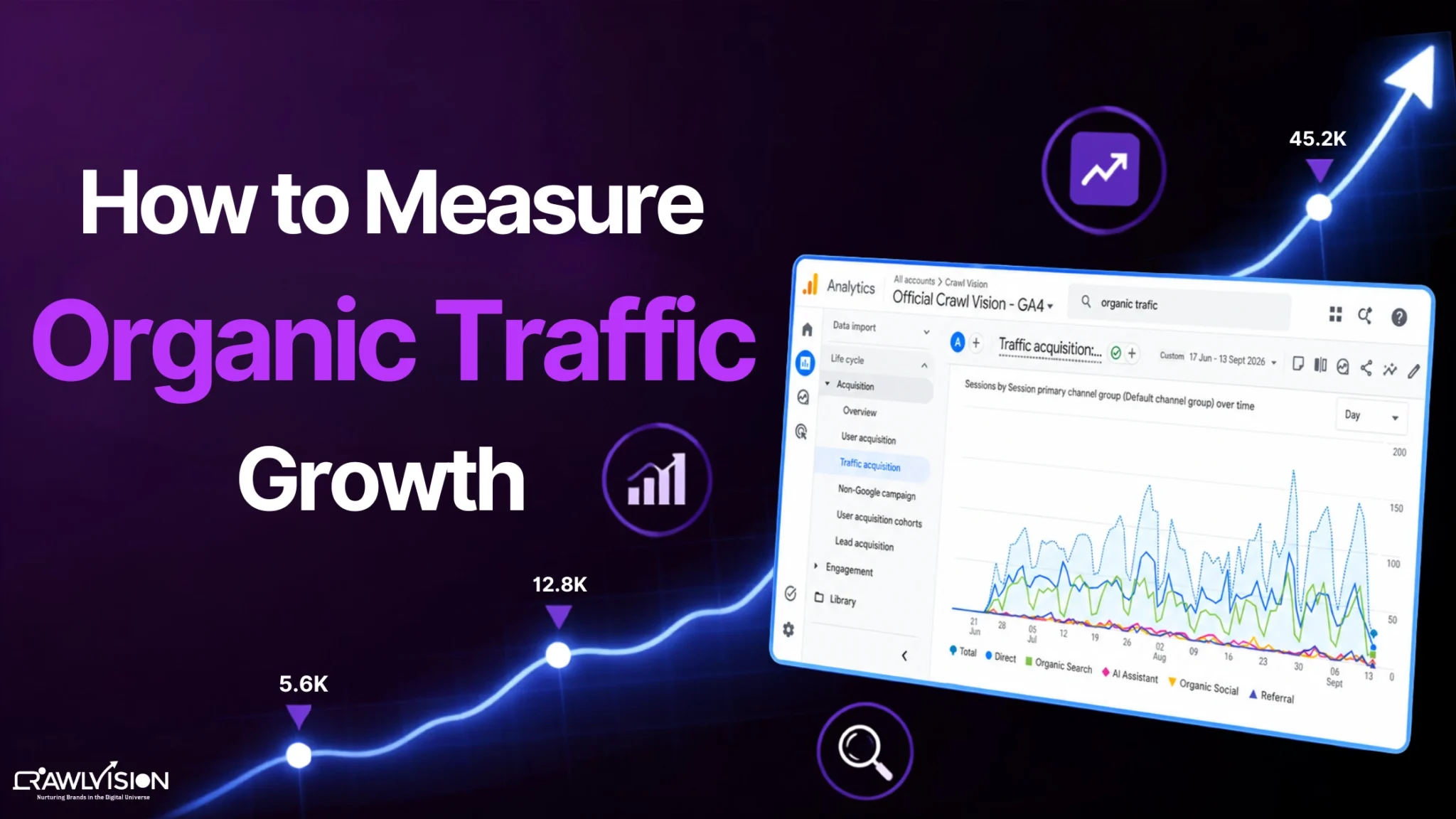
Measure organic traffic growth by comparing organic users or sessions across consistent periods, then analyze clicks, impressions, rankings, landing pages, engagement, and conversions. GA4 shows how organic visitors behave, while Google Search Console explains how your search visibility and clicks changed.
What Is Organic Traffic Growth?
Organic traffic growth refers to the change in visitors reaching your website through unpaid search results over a specific period. It can be measured by comparing organic users or sessions with an earlier period, such as month over month or year over year.
However, an increase in traffic does not automatically mean better SEO performance. A 40% rise is more meaningful when it brings relevant visitors, leads, sales, or other valuable actions. If the increase comes from irrelevant queries or a temporary spike, the growth may not be sustainable.
Which Metrics Should You Track for Organic Traffic Growth?
The key metrics for measuring organic traffic growth are organic users, organic sessions, clicks, impressions, CTR, average position, and conversions. Together, they show how much traffic you receive, how visible your site is, and whether that traffic creates business value.
| Metric | What It Tells You |
| Organic users | How many users arrived through organic search |
| Organic sessions | How many sessions began from organic search |
| Conversions | Whether organic visitors completed valuable actions |
| Organic conversion rate | How efficiently organic traffic produces conversions |
| Search clicks | How many users clicked your Google result |
| Impressions | How often your pages appeared in Google Search |
| CTR | How often impressions became clicks |
| Average position | The average position of your pages in Google Search results |
GA4 groups traffic from unpaid search results into the Organic Search channel, while Search Console focuses on Google Search performance, including clicks, impressions, CTR, and position.
How to Calculate Organic Traffic Growth (Formula)
To calculate organic traffic growth, use this formula:
Organic Traffic Growth (%) = [(Current Period Organic Traffic – Previous Period Organic Traffic) ÷ Previous Period Organic Traffic] × 100
For example:
Website’s organic sessions in April = 20,000
Website’s organic sessions in May = 26,000
Then, as per the formula:
Organic Traffic Growth (%) = [(26,000 – 20,000) ÷ 20,000] × 100 = 30%
The website’s organic traffic grew by 30%
Always compare equivalent periods. Year-over-year comparisons are particularly useful when seasonality affects demand.
How to Measure Organic Traffic in GA4
In GA4, measure organic traffic by opening Reports → Acquisition → Traffic acquisition and reviewing the Organic Search channel. Compare users, sessions, engagement, and conversions across consistent date ranges.
Simple 7-step process:
- Open Reports in GA4.
- Go to Acquisition > Traffic acquisition.
- Set the required date range and select a comparison period.
- Use Session default channel group as the primary dimension.
- Find Organic Search and review users, sessions, engagement, and conversions.
- Break the data down by landing pages to identify pages driving the change.
- Compare the increase in traffic with key events or conversions to determine whether growth is commercially meaningful.
GA4 helps you understand what happens after visitors reach your website, while Google Search Console shows how your site performed in Google Search before the click.
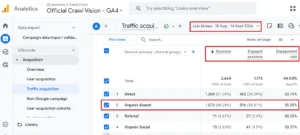
Note: This screenshot shows a real one-month Google Analytics report from the Crawl Vision team.
How to Measure Organic Traffic in Google Search Console
In Google Search Console, measure organic search performance through Performance → Search results, where you can compare clicks, impressions, CTR, and average position over time.
Search Console shows how your site performed in Google Search before users clicked through to your website. It helps identify whether traffic changes came from more visibility, better CTR, or changes in search demand.
Simple 8-step process:
- Open Search Console > Performance > Search results.
- Select the date range you want to analyze.
- Click Compare and choose a comparable previous period.
- Review Clicks, Impressions, CTR, and Average position.
- Open the Queries tab to identify searches gaining or losing clicks.
- Open Pages to find landing pages responsible for the change.
- Check Devices and Countries if the change appears limited to a particular audience.
- Sort by the difference between periods to find significant gains or losses.
Google recommends focusing more on clicks and impressions than on average position alone. GSC also provides signals that can help you analyze AI-driven traffic and changing search behavior.
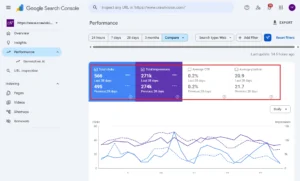
Note: This screenshot shows a real one-month Google Search Console comparison from the Crawl Vision team.
How to Analyze Why Organic Traffic Increased or Decreased
Analyze changes in organic traffic by checking which pages, queries, rankings, impressions, and CTRs changed, then look for content, technical, search-demand, or seasonal factors that explain the difference.
Start with the size and timing of the change. Then identify where it happened.
- More impressions, similar CTR: Search visibility or demand likely increased.
- Similar impressions, higher CTR: Titles, snippets, rankings, or search-result presentation may have improved.
- Lower impressions and clicks: Demand, rankings, indexing, or content quality may have weakened.
- Traffic up but conversions flat: The new visitors may be less qualified.
- One page drives most growth: Check whether the increase comes from a seasonal topic or a sustainable ranking improvement.
- A sudden drop: Check technical SEO issues, indexing changes, manual actions, algorithm changes, and tracking problems.
Common Mistakes When Measuring Organic Traffic Growth
The most common mistakes are measuring traffic without conversions, comparing inconsistent periods, ignoring seasonality, relying only on rankings, and treating temporary traffic spikes as sustainable growth.
- Looking at traffic without conversions
More visitors are useful only when they support meaningful goals. Track leads, purchases, sign-ups, or other relevant conversions alongside traffic. - Comparing mismatched time periods
Comparing a full month with a partial month can create a false growth rate. Use equivalent dates. - Ignoring seasonality
Search demand changes around holidays, events, weather, school calendars, and industry cycles. Year-over-year comparisons can provide better context. - Focusing only on keyword rankings
Rankings do not tell the whole story. A page can gain clicks from broader queries even when tracked keywords barely move. - Treating a short-term traffic spike as sustainable growth
A viral page, trending query, news event, or temporary SERP change can inflate traffic. Confirm whether gains persist across several weeks or months.
Conclusion
To measure organic traffic growth accurately, compare consistent periods, combine GA4 and Search Console data, and connect traffic changes with rankings, content performance, and conversions.
At Crawl Vision, we look at traffic alongside rankings, content performance, technical health, and conversions to understand what is actually driving organic growth. This gives a clearer picture of whether the increase is meaningful and sustainable.